unDEANiable Engine: Building a voice-first companion with an eye of its own
November 5, 2026
Key points
- Designed a voice-first focus companion around three human-controlled actions: choose an objective, execute a time block, and improve through reflection.
- Integrated GPT-Live 1 over browser WebRTC for opted-in conversation, GPT-6 Luna Decisions for bounded stay/capture/switch/rest/clarify checks, and the Responses API for short plans.
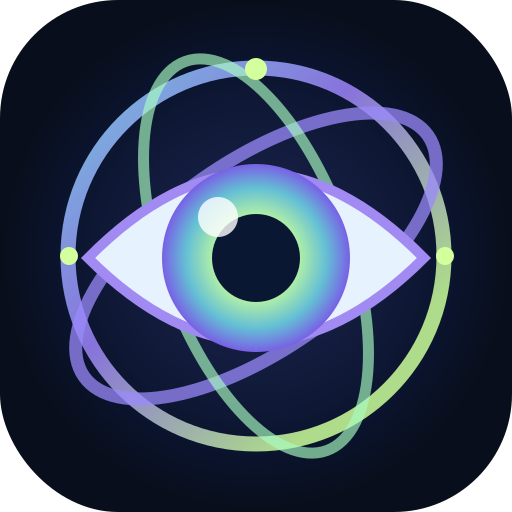
- Built an Ophanim-inspired SVG/CSS character with a central eye, three rotating rings, 18 smaller eyes, hover motion and state-dependent animation.
- Moved from Mac-only localhost to a password-protected Railway Bun Function with HTTPS, server-held API keys, persistent JSON state and revision-checked cross-device synchronization.
- Verified spoken GPT-Live replies on iPhone; created and saved an original prompt-generated guardian voice while keeping its final listening review, Mac Safari audio and autonomous awareness on the future-work list.
I didn't want another text box with a chatbot behind it. I already had plenty of ways to type a question into a model. I wanted something I could look at, talk to, hear back from and use to get better at the things I care about.
The spark came from a conversation about becoming undeniable. Not through constant productivity, but through enough deliberate practice that the work speaks for itself. Dana had noticed something before I had fully articulated it: working through ideas with AI was helping me focus them, and I was actually finishing more. I wanted to make that process more intentional.
That became unDEANiable Engine: a focus companion with a voice, a little judgment and a visual identity of its own. Personal and a little strange by design. The challenge was getting those pieces to feel like one experience rather than three demos sharing a page.
Give the companion a job first
My first instinct was to imagine everything it might do: keep me on task, listen for ideas, coach me through difficult concepts, help with business choices and follow me from computer to phone. It would have been easy to turn that ambition into a giant dashboard.
Instead, I started with three verbs: choose, execute, improve.
The app asks me to choose one meaningful outcome and a domain such as technical mastery, business, personal life or creative work. I can protect a 15-, 25-, 45- or 60-minute focus block, park a competing idea without changing tasks, and finish with a short reflection on what I actually did.
A proof-of-work area records completed sessions, focused minutes and outcomes. Those are my own entries, not measurements of what happened on my screen. I want the system to make me more capable, not merely make me feel observed.
The first working version was a responsive JavaScript interface on my Mac mini. It had an animated companion, an objective field, a timer, an idea vault, a Decisions checkpoint, a short-plan button and a place to record progress. Later versions added private cross-device state sync and better audio diagnostics. Manual mode works without an API key.
Sometimes I need a decision, not an essay
When a new project idea interrupts the task I'm supposed to be doing, I don't need five paragraphs about the nature of distraction. I need help deciding what to do next.
That was the appeal of OpenAI's Decisions API. The checkpoint uses GPT-6 Luna through the Decisions endpoint to choose among five routes: stay, capture, switch, rest or clarify. It receives my stated goal and the situation I describe. It has no independent view of which apps are open or whether I've actually wandered off task.
If the answer is unusable or its confidence is low, the app falls back to clarification. Even a confident answer is advice. A model choosing “switch” does not change my goal for me.
A separate Responses API call, also using GPT-6 Luna in this build, produces short plans and reflections. The plan needs a measurable finish line and must fit the time block I've selected. An early test made the importance of that constraint obvious: a 15-minute session produced a 25-minute suggestion. The fix was to pass the selected duration explicitly and require the whole plan, including reflection, to fit inside it.
That division keeps the system understandable. Decisions handles the bounded choice. Responses supplies a little explanation. Application code owns the timer, idea records, permissions and state changes.
Give the browser ears and keep the key on the server
Voice was the feature I cared about most. I wanted to speak naturally and hear a character answer, not click a microphone button just to fill a text field.
The browser requests microphone permission when I start a voice session. JavaScript calls getUserMedia for an audio track, creates a WebRTC peer connection, attaches the track and opens a data channel for session events. It then generates a session description offer.
My application server receives that offer and exchanges it with OpenAI's GPT-Live session API using a server-side key. The browser applies the returned session description as its WebRTC answer. Microphone input and generated speech then travel over the negotiated media tracks. The data channel carries session events, transcript deltas and errors, while the returned audio track connects to an HTML audio element for playback.
The browser never needs the project API key. The server handles session creation, model instructions and the maximum duration. I control when the microphone starts and stops, and a voice conversation does not automatically change my goals or operate another application.
It sounds straightforward written down. Getting it to speak was another matter.
A Mac mini that was missing an ear
The first live voice attempts were not graceful.
The unsigned local launcher triggered macOS Gatekeeper. After switching to Terminal, I managed to run npm from my home directory instead of the application directory, which naturally produced a missing package.json error. Once the app was running, Safari reported an invalid microphone constraint.
That took an embarrassing but useful turn. My Mac mini had no recognized input device. The hardware was doing exactly what it should: nothing. I found a USB microphone, connected it, and the local microphone test passed without placing an OpenAI call.
Still no voice.
The speaker test played two tones correctly, but that only proved the speaker could play two tones. It didn't prove a live response was reaching it. The app gained a visible audio player, a manual Play control for browsers that block autoplay, microphone-signal checks, WebRTC packet counters and more precise session diagnostics.
Another lesson arrived along the way: failed tests could exhaust the app's daily voice-start allowance before I understood what was failing. Repeatedly starting a silent call was a poor substitute for knowing where the silence began.
Was audio leaving the browser? Was a response track arriving? Had playback started? Those became separate questions I could investigate, split between browser capture and playback on one side and session creation and server configuration on the other.
The breakthrough came on my iPhone. Through its cloud address, the same Engine obtained microphone permission, created a GPT-Live session and spoke actual words back to me. That was the first confirmed two-way voice result.
The Mac Safari audio problem remained unresolved. The phone proved the experience could work, not that it worked perfectly on every device.
The eye mattered as much as the voice
I didn't want an ordinary bouncing chat bubble watching my timer.
The visual idea came from Ophanim: many eyes set into intersecting celestial rings, reimagined with a futuristic, computational feel. The concept artwork was intricate and luminous, full of rings, eyes, circuit-like traces and binary motifs.
The implemented companion is simpler. A central SVG eye sits inside three independently rotating CSS rings, each carrying six smaller eyes. Their motion creates the impression of wheels passing through one another, with a subtle hover and glow beneath the figure. Violet, cyan and lime connect it to the rest of the interface. There is also a reduced-motion path.
Its movement responds to what the app is doing. The rings move calmly while idle, slow during a focus block, accelerate while thinking, soften on pause and brighten for a recorded win. A voice session changes its listening presentation.
The eye represents attention and curiosity. It doesn't see my screen or look around the room. The animation follows application state, not speech frame by frame. Most of the binary and circuit detail still belongs to the concept artwork, and autonomous eye tracking, a synchronized speaking mouth and an always-on-top desktop presence remain ideas for later.
For now, the rings and eyes give the companion a recognizable character without pretending it can do more than it can.
He needed a voice of his own
The first successful conversation used a built-in GPT-Live voice. It proved the audio path worked, but the voice felt disconnected from the entity on screen. A more resonant masculine preset, Vesper, sounded closer, with guidance to be calm, thoughtful and subtly mysterious. I still wanted something original.
I described an adult masculine voice with a low-mid pitch, rich resonance, textured warmth and an unhurried, natural cadence. An intelligent futuristic guardian: curious, approachable and quietly powerful, without robotic effects or theatrical depth.
I even wanted him to occasionally say “my child.” An affectionate character detail, not a verbal tic or a substitute for a useful answer.
The app now has a one-time prompt-to-voice creation path. It sends that description to OpenAI's voice-creation API and saves the returned voice identifier on the persistent server volume. The session configuration is set up to select that identifier for new GPT-Live sessions. Behavior instructions include the occasional phrase, along with boundaries against condescension and false supernatural claims.
Railway logs confirmed that the custom voice was created and saved. I still need to test it in a live conversation and decide whether it sounds like him. Creation and configuration are done; the listening review is not.
OpenAI generates the speech. My work is the experience around it: the character, selection logic, configuration and controls that make the voice part of the companion.
Get it off one Mac and into my day
A companion tied to a single localhost window would have missed the point. I wanted to open the same Engine on another computer or phone without copying an API key onto each device.
The local Node-based service became a private cloud deployment on Railway. The current application runs as a Bun Function using Node-compatible HTTP code and embedded web assets. It has one running service replica and a dedicated 512 MB persistent volume mounted at /data. That volume holds application state and the saved custom voice identifier, so redeploying browser assets doesn't depend on the container's temporary filesystem keeping my data.
The cloud app requires HTTPS, a sufficiently long password and a separate session-signing secret before it will start. After login, signed Secure, HttpOnly, SameSite cookies guard private routes. Requests that change data also have to come from the expected origin. The OpenAI key stays on the server.
Goals, saved ideas and completed focus records sync through a JSON state endpoint with revision checks. If another device has already saved a newer revision, a conflicting write is rejected rather than silently overwriting it. Each browser keeps a local copy for resilience, while an active timer remains device-local.
That gives me synchronized progress across devices. It doesn't mean the companion remembers everything said in a conversation or makes independent use of long-term memory.
Cloud hosting supplied its own lesson. After an environment-variable change, Railway reported a successful deployment while the app refused to boot. The logs showed a failed configuration check, and HTTP requests returned 502 connection timeouts. Correcting the required password and configuration restored the server.
A deployment status is not the same thing as an application health check.
The checks that mattered were a healthy running instance, successful authenticated requests from desktop and iPhone, and a successful GPT-Live session creation from the phone.
Keep the limits visible
The app has a modest local API allowance, short opt-in voice calls and daily limits on voice, coaching and decisions. They help prevent accidental repeated requests. The reserved-dollar figure shown in the interface is an estimate, not a provider-enforced billing cap.
Promotional API credits covered eligible experimentation. Railway hosting is a separate resource cost. I haven't published a trustworthy per-session cost or a measured response-latency benchmark for this build.
The security and recovery story has limits too. One app password isn't a complete multi-user identity system, and a persistent volume isn't evidence that a restore has been tested. Before relying on the Engine more heavily, I want stronger recovery testing and a clearer long-term data model.
It also has a deliberately narrow job. It doesn't inspect my screen, send messages, act in employer systems or autonomously control my Mac. Any future capability along those lines would need its own permissions, safety checks and a good reason to exist.
What I can do today is specific enough to be useful: open a privately hosted, responsive interface on desktop or iPhone, choose a focus objective, get bounded decisions and short coaching, watch a distinctive animated entity and have a real spoken conversation with it on my phone. The custom voice has been generated and saved, ready for its listening test.
What I'd build next
The next phase is about finding out whether this companion improves my day. Do protected sessions lead to meaningful work? Does its advice help me stay with the task? Do practice sessions make me better at explaining what I've learned?
There is technical work left: audition the custom voice, improve the Mac Safari voice path and give the entity more expressive motion linked to speech. I'd also like to build a native floating companion, but only if it would help.
SH-3PB taught me how to give a salvaged object a conversational personality. Dean & Dana HQ taught me that a useful interface depends on infrastructure, boundaries and recovery. unDEANiable brings some of those lessons into a more personal question: can an AI feel present without pretending to be omniscient, and help me focus without trying to run my life?
For now, it has an eye, a voice, some carefully limited judgment, and a job to do. That is a much better start than another text box.